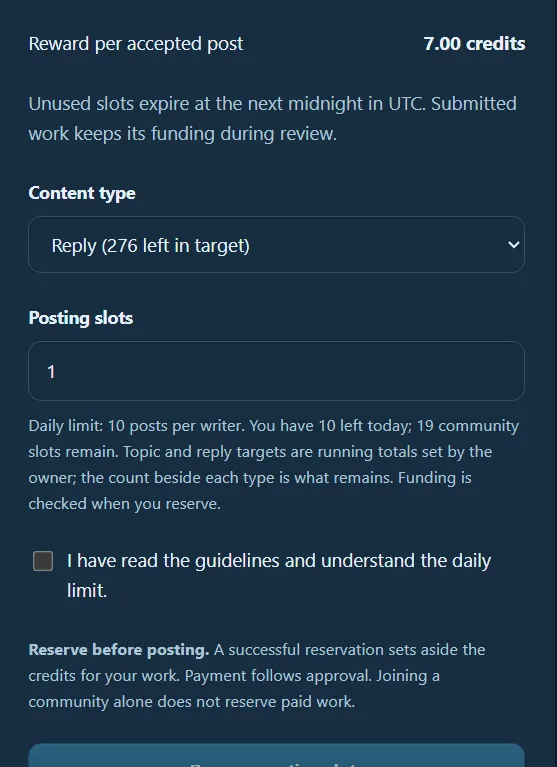
How reserving writer slots on Postloop works.
On Postloop, you will see an allocation like this for each site you are working on. The amount will be different for each site, depending on how much new content the site owner wants each day.
For this example, the site owner has allocated 10 posts or threads per writer.
You can choose how you want to use your allocation by selecting either Reply or Topic from the dropdown menu and then choosing how many you would like to reserve.
For example, if you wanted to make 5 threads and 5 replies:
Select Topic from the dropdown menu.
Enter 5 in the quantity box.
Reserve those 5 topics.
Then select Reply from the dropdown menu.
Enter 5 in the quantity box.
Reserve those 5 replies.
You have now used your full allocation of 10 pieces of content for that day, 5 topics + 5 replies.
You don't have to split them 5 and 5. You can choose the combination that works best for you, as long as you stay within the site's daily allocation.
I've also added a screenshot of this section so you can see exactly which area I'm referring to. Hopefully this makes it a little easier to understand! 😊